



Every pitch.
Every arm.
Pitch Track Pro 2.5 is our biggest update yet: one-screen tracking, who-can-pitch-today rest days, a live pitch count on your Lock Screen, and post-game reports you can text to parents.
Our biggest update yet
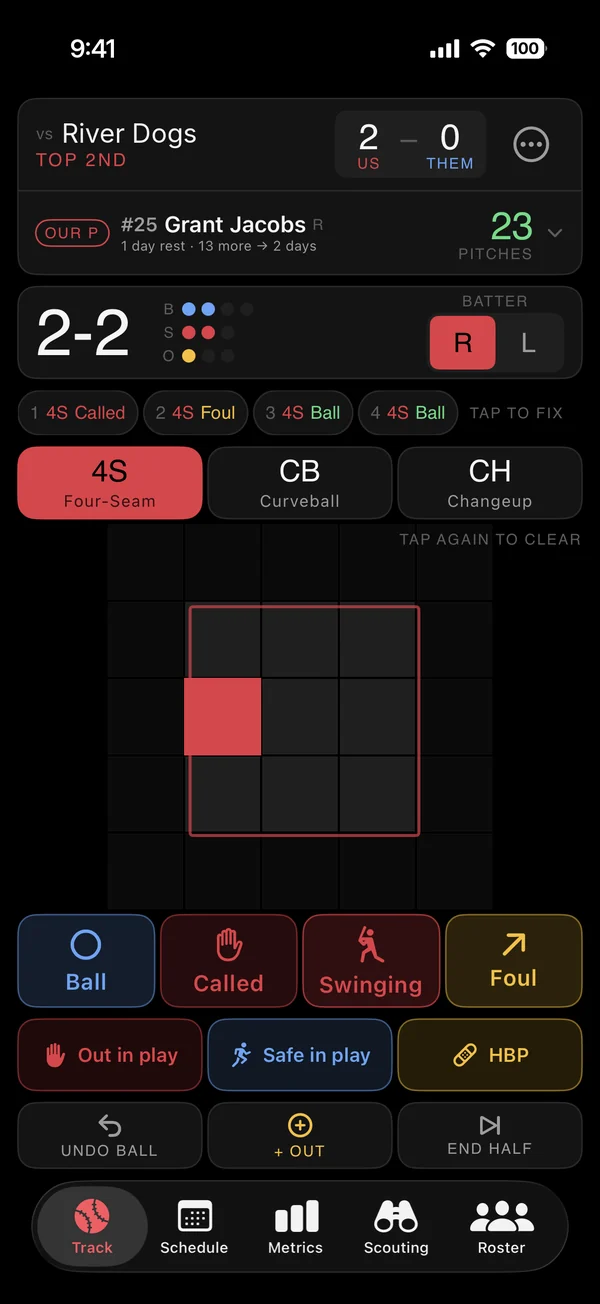
- 1Faster tracking. Everything on one screen. The first pitch starts the at-bat, 3 outs offers the next half-inning, and Undo reverses anything.
- 2Fix any pitch. Tap a pitch in the current at-bat to change its type or location.
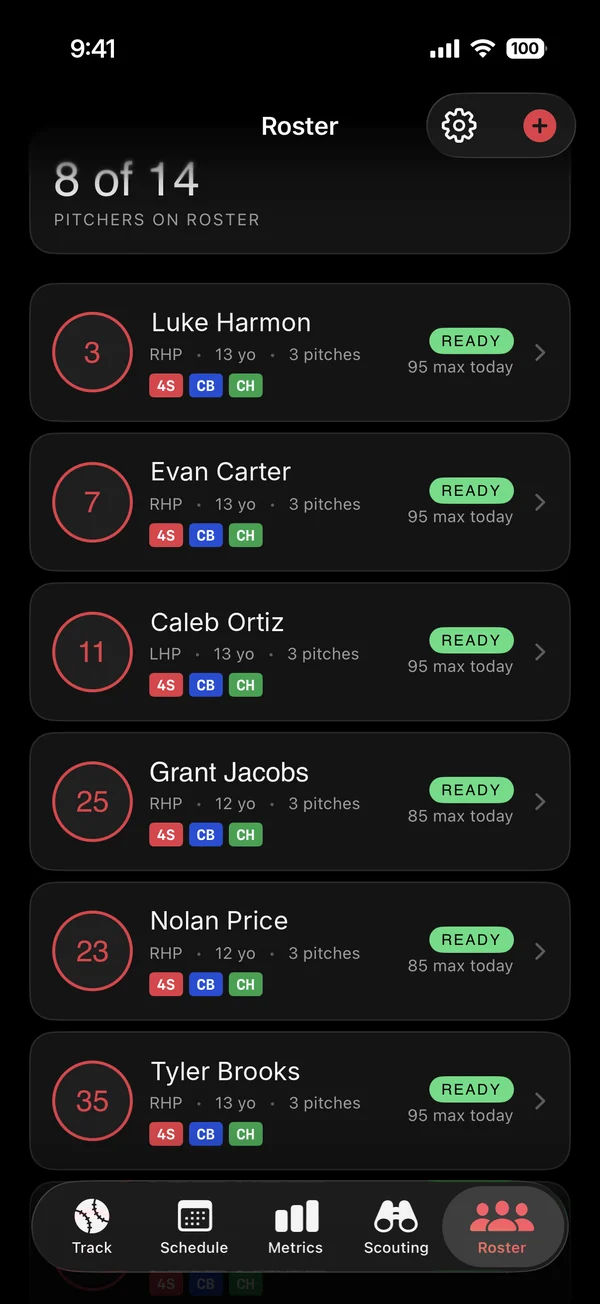
- 3Who can pitch today. Ready, Use with care or Resting for every arm, using MLB Pitch Smart rest days.
- 4Live rest hints. "13 more → 2 days" while you track, so you can make the call in time.
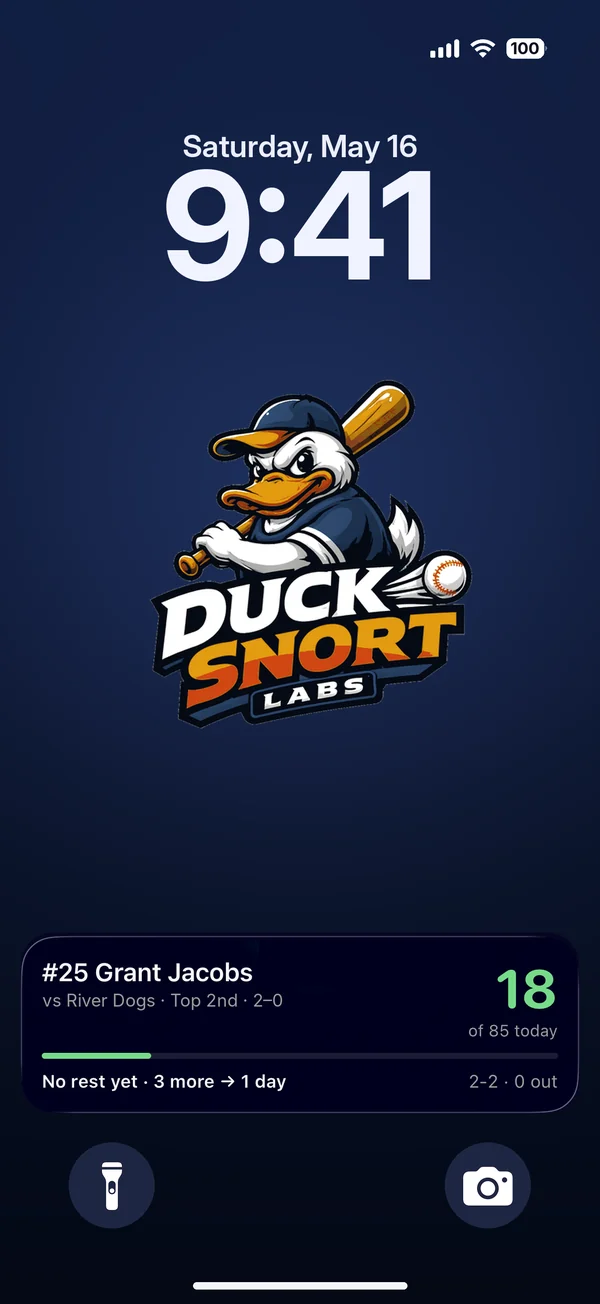
- 5Lock Screen & Dynamic Island. Live pitch count while a game is tracked, plus a "Who can pitch" widget.
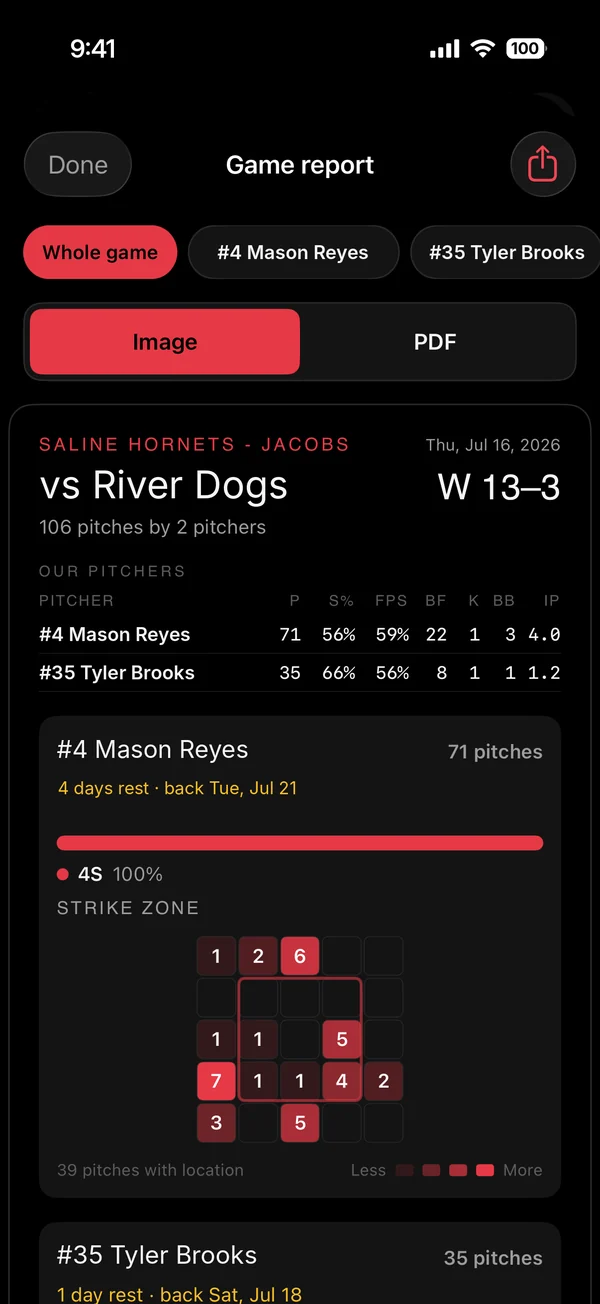
- 6Post-game reports. Share a whole game or one pitcher as an image or PDF.
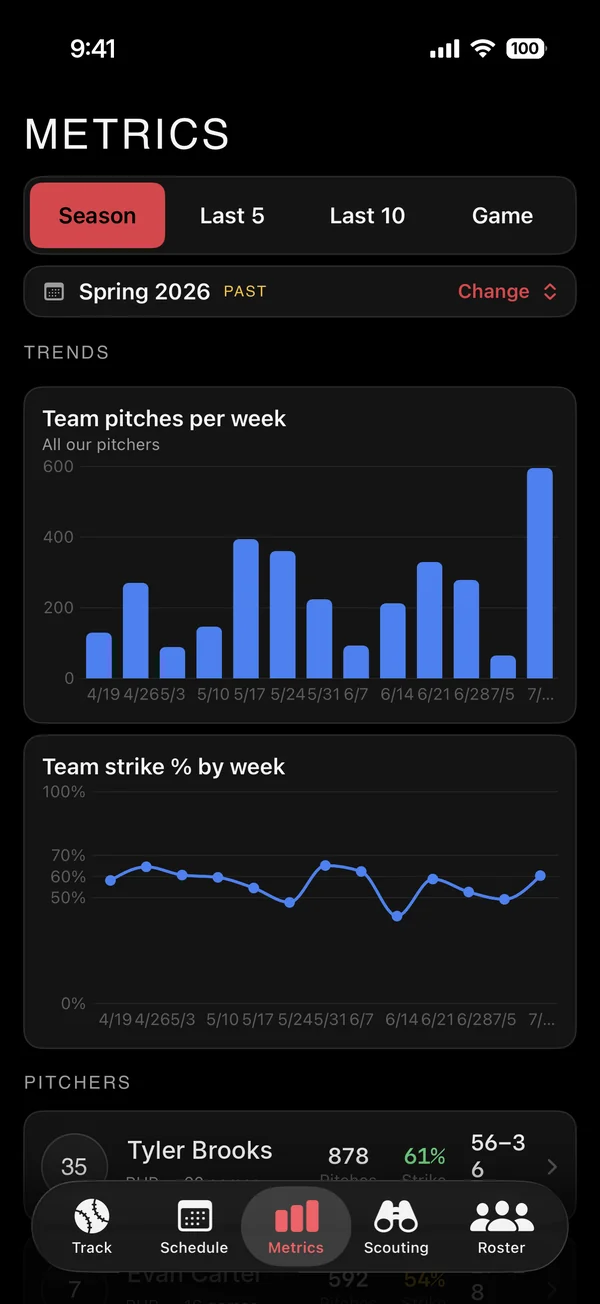
- 7Season trends. Pitches per outing, strike rates and pitch mix over time, with Spring and Fall seasons.
- 8Parent & player access. Invite families to see only their own player, live and read-only.
One screen. Fewer taps.
Big targets, one-handed, built for the dugout. Tracking the other team's pitcher is optional, per game or by default.
- Pitch type, location and result in two taps
- Tap any pitch in the at-bat to fix it
- Undo anything: pitches, outs, even an inning change
- Works offline and syncs when you reconnect
Know who can pitch before first pitch
Every pitcher gets a clear status based on MLB Pitch Smart daily limits and rest days for their age.
- Ready, Use with care and Resting badges
- Each arm's max for today, by age
- Live hints as a pitcher nears the next rest tier
- Same rules as Pitch Planner Pro
Pitch count without unlocking
While a game is tracked, the count and Pitch Smart status live on your Lock Screen and in the Dynamic Island. Add the "Who can pitch" widget to your Home Screen.
- Live Activity on the Lock Screen
- Dynamic Island on supported iPhones
- Home and Lock Screen widget
Text parents a report before you leave the field
Share a full game or a single pitcher as a clean image or PDF, with counts, strike rates, pitch mix and rest.
- Whole-game and per-pitcher reports
- Share as image or PDF
- Strike-zone map and rest days for every pitcher
The numbers that change how you coach
Strike %, first-pitch strike %, K %, BB %, pitch mix and tendencies by count, plus a scouting database of every opposing pitcher.
- Team pitches and strike % by week
- Tendencies by count and zone command by pitch and batter hand
- Spring and Fall seasons, past seasons kept
- Opponent scouting and scouting sessions
Free to start
Track one pitcher free, forever. Go Pro when you are ready for the whole staff.
Free
- 1 pitcher
- Live pitch tracking
- Pitch Smart limits
Pro
- Up to 14 pitchers per team
- Who can pitch today
- Lock Screen pitch count & widget
- Post-game reports & season trends
- Multi-coach access
- Parent & player access
- Opponent scouting database
Billed monthly through your Apple ID. Prices in USD; your local App Store price may differ.
Good questions.
Does it work with Pitch Planner Pro?
Yes. Both apps share one sign-in, one roster and the same rest rules. Pitches you track show up in Pitch Planner Pro's Today board and plans automatically. They are separate subscriptions.
Which pitch count rules does it use?
MLB Pitch Smart daily maximums and required rest days by age. A pitcher without a birthdate uses the ages 11–12 limits until you add one.
Can parents see the game?
Yes, with Pro. Invite parents or players and they see only their own player. They can watch games live but can't change anything.
Do I have to track the other team's pitcher?
No. Turn it off per game or set the default in Settings. Their half-innings then show a simple outs and score card.